ItemStage logoItemStage
Log inContactBook Demo
Book Demo
Contents Restoration & Pack-Out Software

Move more items through your process — with photo-backed proof at every step.

ItemStage is a mobile-first workflow and chain-of-custody platform for restoration, refurbishment, certification, and high-volume item-processing teams.

30-day workflow pilot · per-facility pricing · unlimited users, no per-seat fees

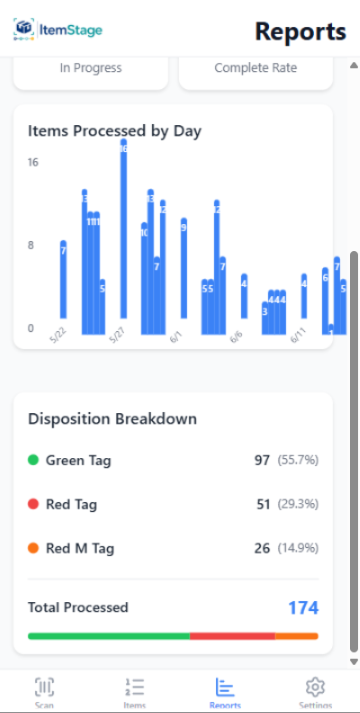
ItemStage reporting screen showing real-time item throughput
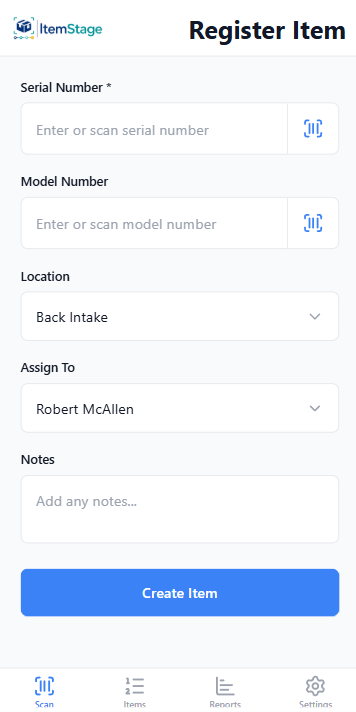
ItemStage register-item screen with barcode serial scan, location, and team assignment

Actual product — the app running at Millers Restoration

Built for high-volume item workflows

Mobile-first for field & warehouse teams

Photo evidence at every stage

Audit-ready exports

Built by TetraCore inside Millers Restoration — not a demo warehouse.

TetraCore built ItemStage in cooperation with Millers Restoration — developed on the floor of a working contents operation, alongside the team running its pack-outs. Since February 2026 that facility has processed 10,000+ items and captured 118,000+ photos through ItemStage, with a 12-minute median from intake to completed — real production data, as of July 9, 2026.

Read the case study
The problem

Legacy tools were built for paperwork. ItemStage was built for throughput.

  • Slow tools reduce unit volume.
  • Photos get scattered across phones and folders.
  • Item status is hard to see across facilities, trailers, and teams.
  • Required process checks are missed.
  • Audit trails take too long to assemble.
  • Managers lack real-time visibility into throughput.
The workflow

Scan. Process. Prove. Export.

A single mobile-first workflow that captures every step from intake to audit-ready export.

01

Register every item

Scan or enter serial numbers. Capture model, location, and intake photos in seconds.

02

Move through required stages

Configurable multi-stage workflows enforce the exact process your facility runs.

03

Capture photos & checklist answers

Gated checklists ensure required photo evidence and process checks aren't skipped.

04

Export a full audit trail

One-click chain-of-custody export — photos, answers, timestamps, dispositions.

The real app

Not mockups — the app your crew will hold.

Screens from the shipping product, captured on the floor at Millers Restoration.

Register Item screen: scan or enter serial and model numbers, set location and assignee

Scan-driven intake

Serial + model by barcode, location, assignee — under 30 seconds per item.

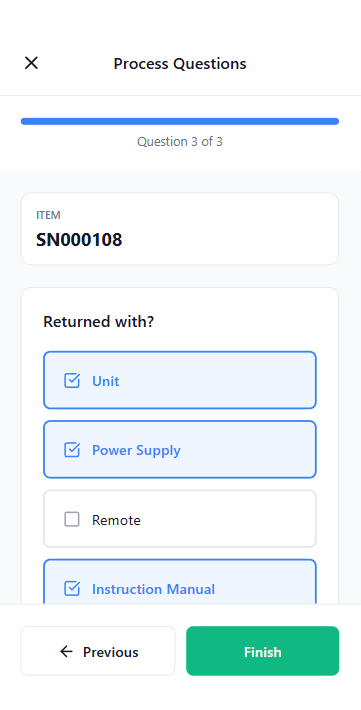
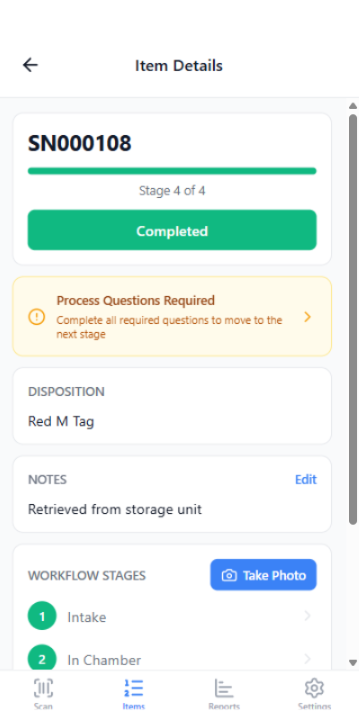
Process questions checklist that gates a stage transition

Stage-gated checks

Required process questions — items can't advance without answers.

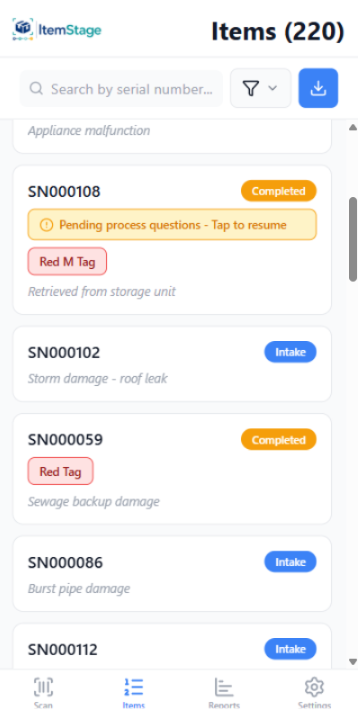
Item search screen finding items by serial, stage, and status

Find anything fast

Any item by serial, stage, or status — no more warehouse hide-and-seek.

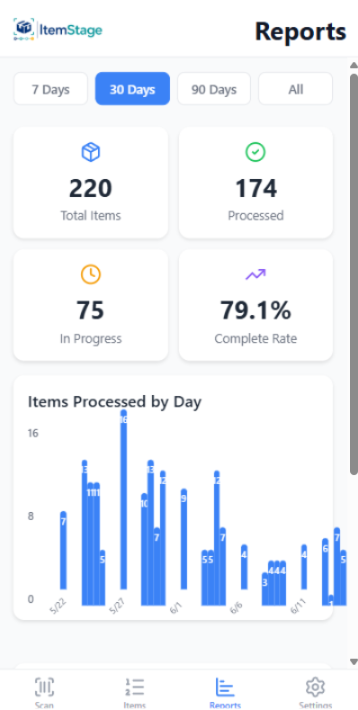
Reporting dashboard with throughput and disposition breakdowns

Throughput reporting

Items per day, stage, and team — the numbers ops managers are measured on.

Item detail editing screen with stage history and photos

Full item history

Every stage, photo, and handler on one record.

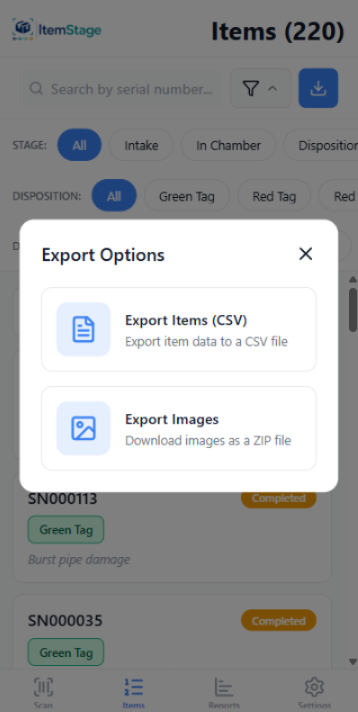
Chain-of-custody export screen producing PDF and image archive

One-click export

Chain-of-custody PDF + image archive, per item or per job.

Use cases

Wherever physical items move through staged work.

ItemStage's workflow engine fits operations where photo evidence and chain of custody are mission-critical.

Restoration contents processing

Pack-outs, cleaning, photo evidence, and disposition for insurance claims.

Equipment refurbishment

Serial-tracked intake, multi-stage rebuild, inspection, and certification.

Appliance certification

Standardized inspections with required photos and pass/fail criteria.

Industrial reconditioning

Heavy units across bays and trailers with clear hand-off between teams.

Warranty inspection

Documented condition, photos, and disposition for warranty claims.

Specialty high-value item repair

Chain-of-custody proof for high-value items moving between locations.

Chain of custody

Every item. Every stage. Every photo. Time-stamped.

ItemStage's chain-of-custody record links serialized items to staged photo evidence, checklist answers, location, and the team member responsible — and exports cleanly when you need proof.

Tamper-evident timeline
Location & team attribution
Stage-gated photo capture
PDF + image archive export
Chain of custody · MR-08217-QComplete
  1. Intake

    08:14

    M. Alvarez · Bay 1 · 3 photos

  2. Cleaning

    09:42

    T. Wong · Bay 3 · 4 photos

  3. Inspection

    11:08

    J. Patel · QA · 2 photos

  4. Packout

    12:33

    M. Alvarez · Bay 1 · 3 photos

FAQ

Fair questions from ops managers.

Is ItemStage priced per user?

No. Every plan is per facility with unlimited users — the whole floor uses it at one price. Operator starts at $299/month and Facility at $699/month. Compare that with per-user tools, where a 20-person crew at $35/user runs $700/month before add-ons.

Does ItemStage replace Encircle or Assured PackOut?

For high-volume processing floors, often yes: serialized barcode intake, stage-gated photos and checklists, dispositions, and one-click chain-of-custody export cover the floor workflow end to end. Shops that need Xactimate-native claims export sometimes keep a claims tool alongside ItemStage — the comparison pages give the honest breakdown.

Does it work offline in a warehouse?

Yes. The mobile app is offline-first: crews scan, photograph, and log items with no signal in warehouses, basements, or trailers, and everything syncs when connectivity returns.

How do exports reach adjusters?

One click produces a chain-of-custody PDF export for insurance or audit review plus a complete time-stamped image archive, per item or per job — ready to send to an adjuster, auditor, or carrier. CSV export covers your data portability.

How long does setup take?

Most facilities are running within days. The 30-day workflow pilot includes stage configuration, crew training on their own phones, and a throughput measurement against your current process.
Audit packages in minutes, not hours.

Bring one real workflow to a 30-minute demo and watch it run — scan, stage gate, photo, export. We'll show you exactly what changes for your team.